Extent
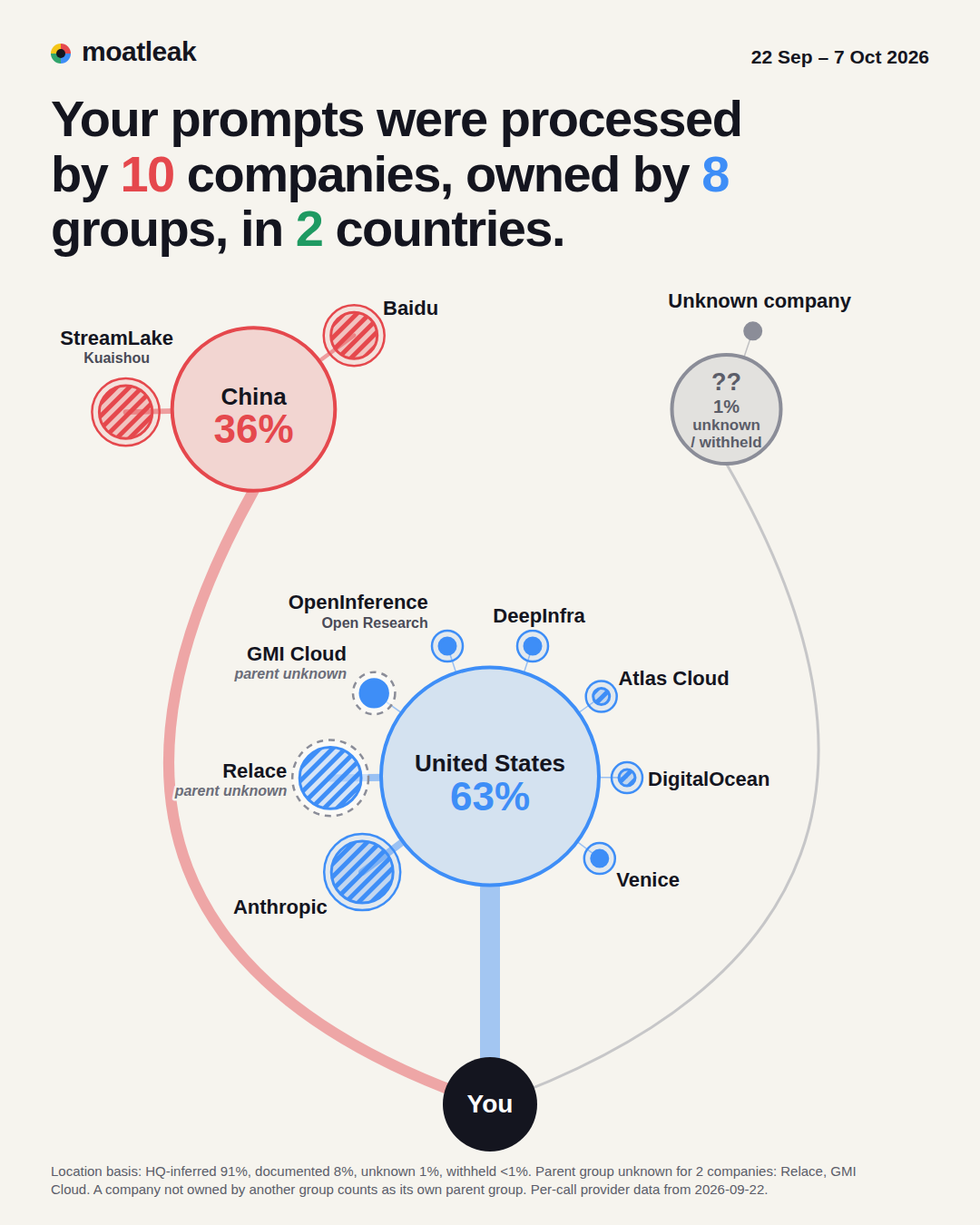
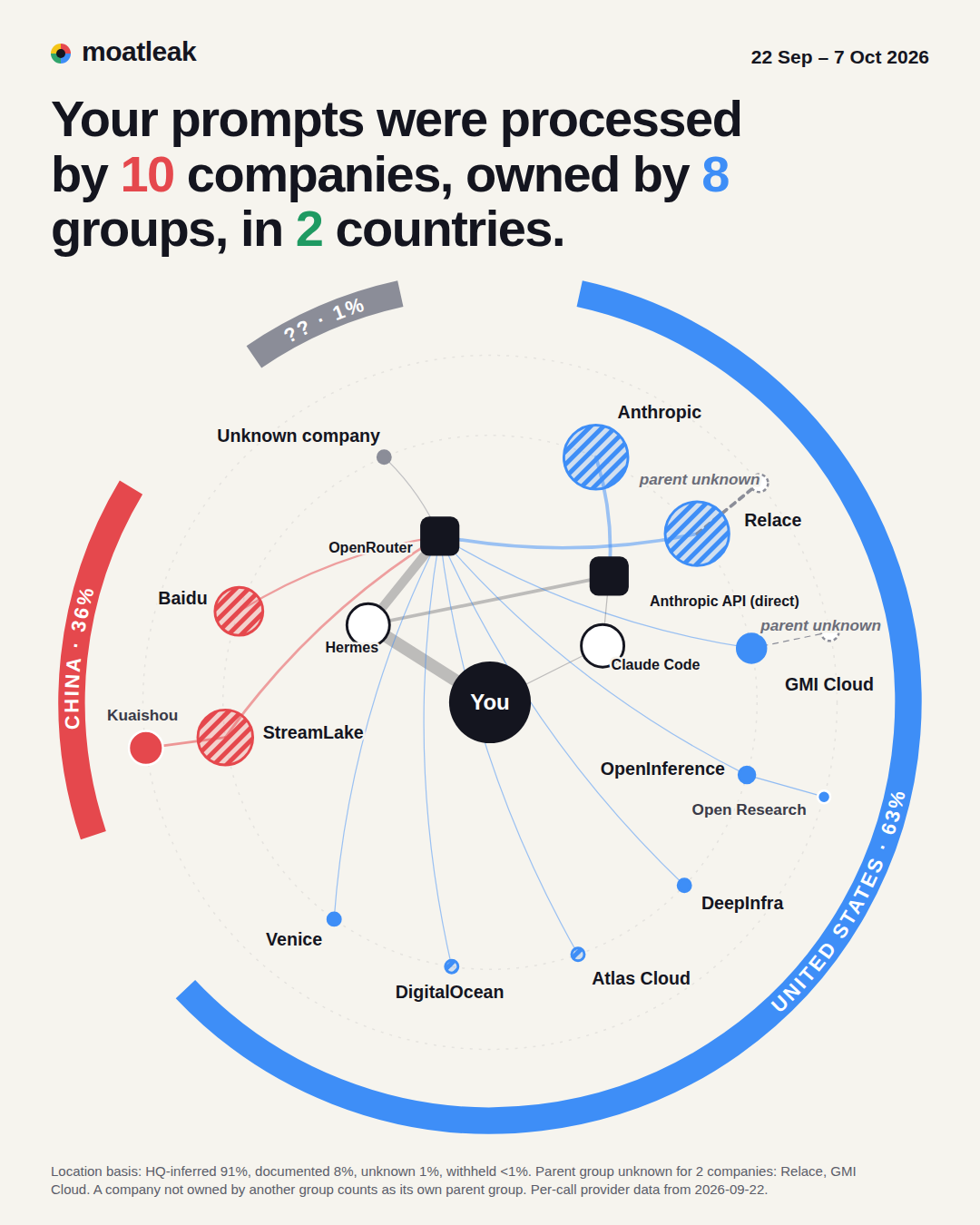
10 companies. 8 parent groups. 2 countries.
Including Anthropic, Kuaishou and Baidu.
Free · Open source · Runs offline
See where your AI prompts really go.
moatleak reads the logs your AI tools already keep and shows which companies processed your prompts, who owns them and which countries they sit in. It runs on your machine and makes no network calls.
Python 3.11+ · Standard library only · No network code · Apache-2.0
One machine. Real logs.
These are the headlines of the sample report, word for word: the maintainer's own Hermes and Claude Code logs, 22 Sep – 7 Oct 2026.
Extent
10 companies. 8 parent groups. 2 countries.
Including Anthropic, Kuaishou and Baidu.
Fragmentation
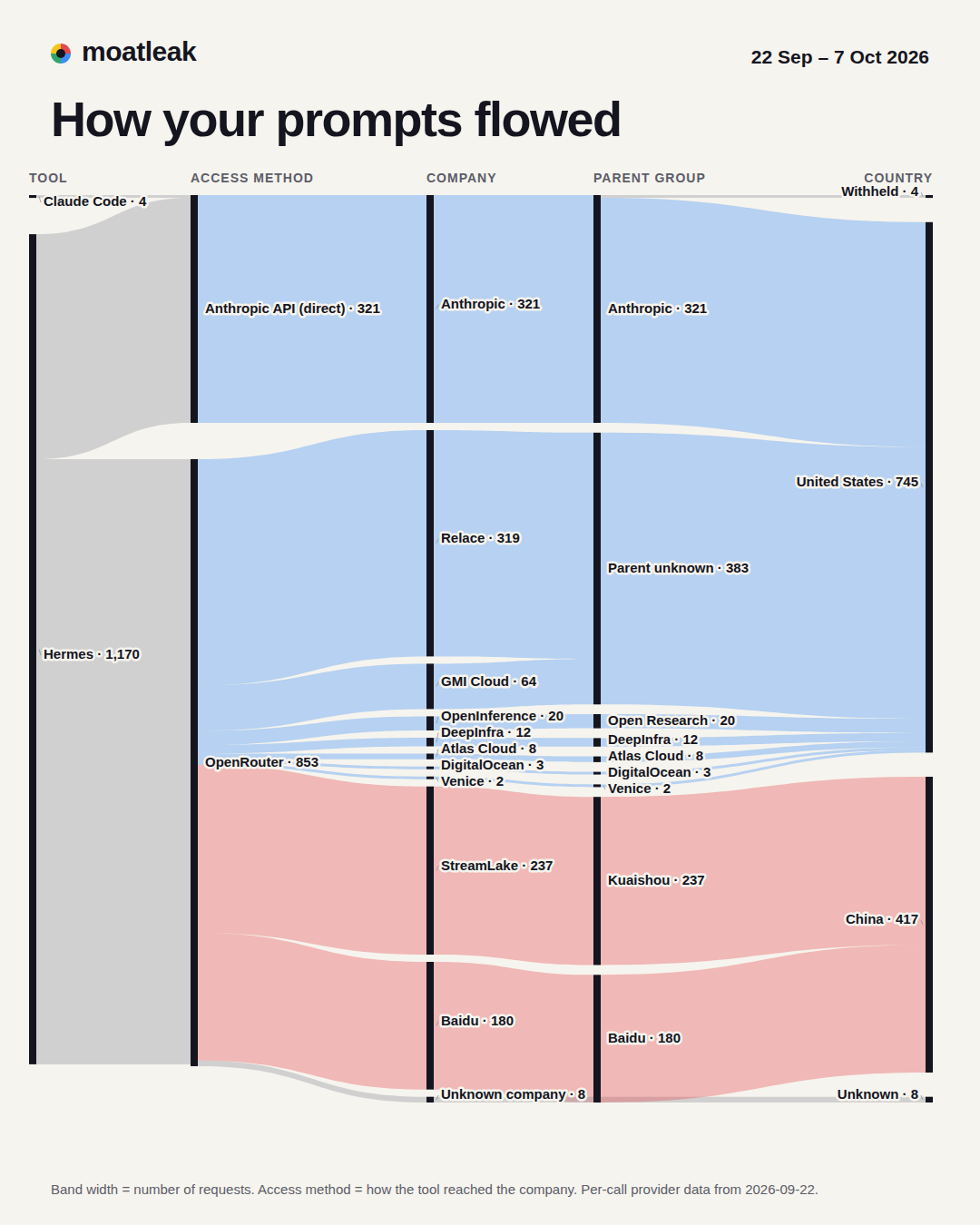
One conversation was split across 3 companies in 2 countries.
7 new companies joined your network in 9 days.
Footprint
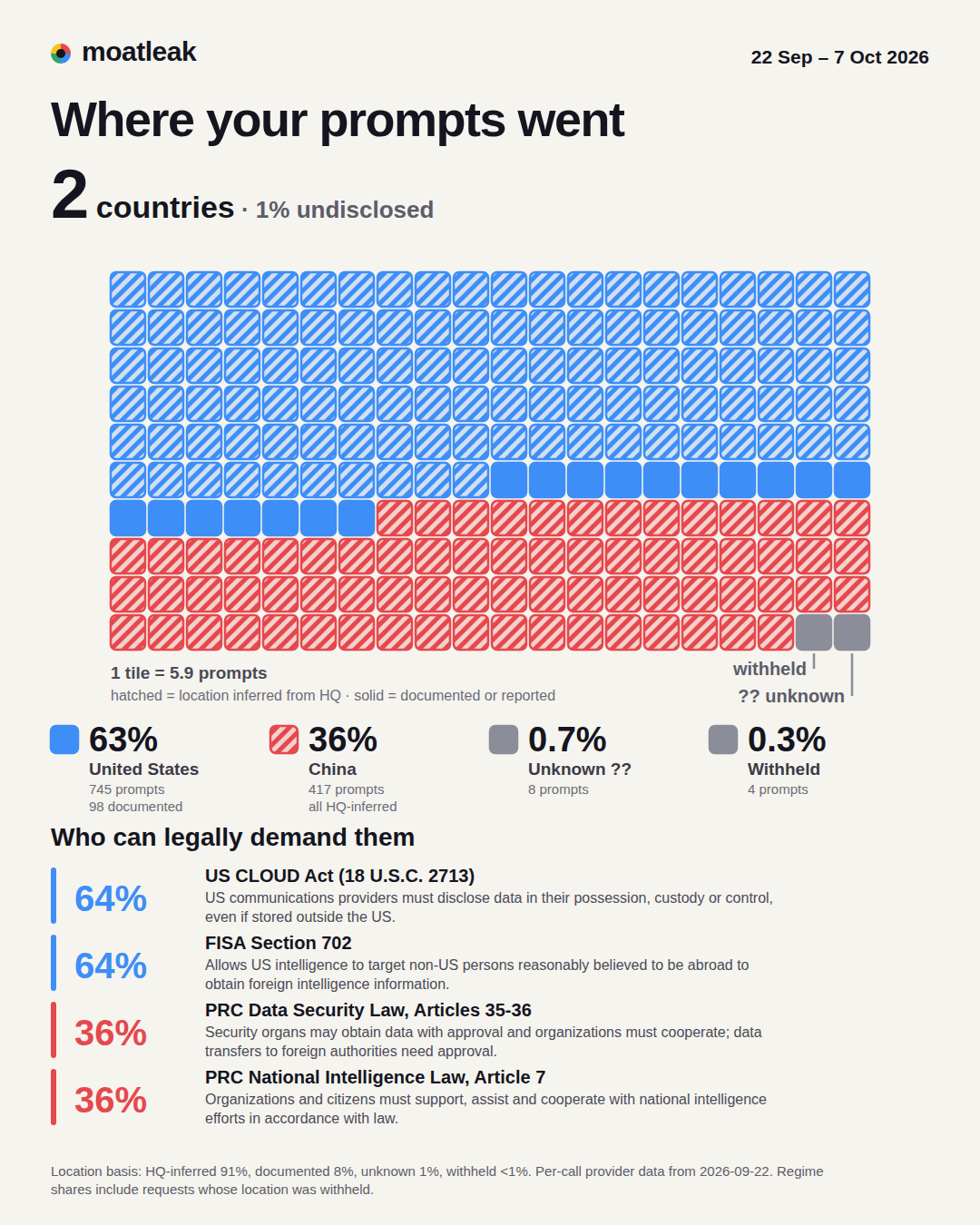
63% of your prompts were processed by companies headquartered in the United States, 36% in China.
Anthropic withheld the location of 217 of your prompts.
Country means the headquarters country of the company and its ultimate parent, as recorded in moatleak's sourced registry. It is not the location of a server, unless the tool logged one. The withheld count covers all Claude Code history on that machine. These numbers describe one machine. Yours will differ.
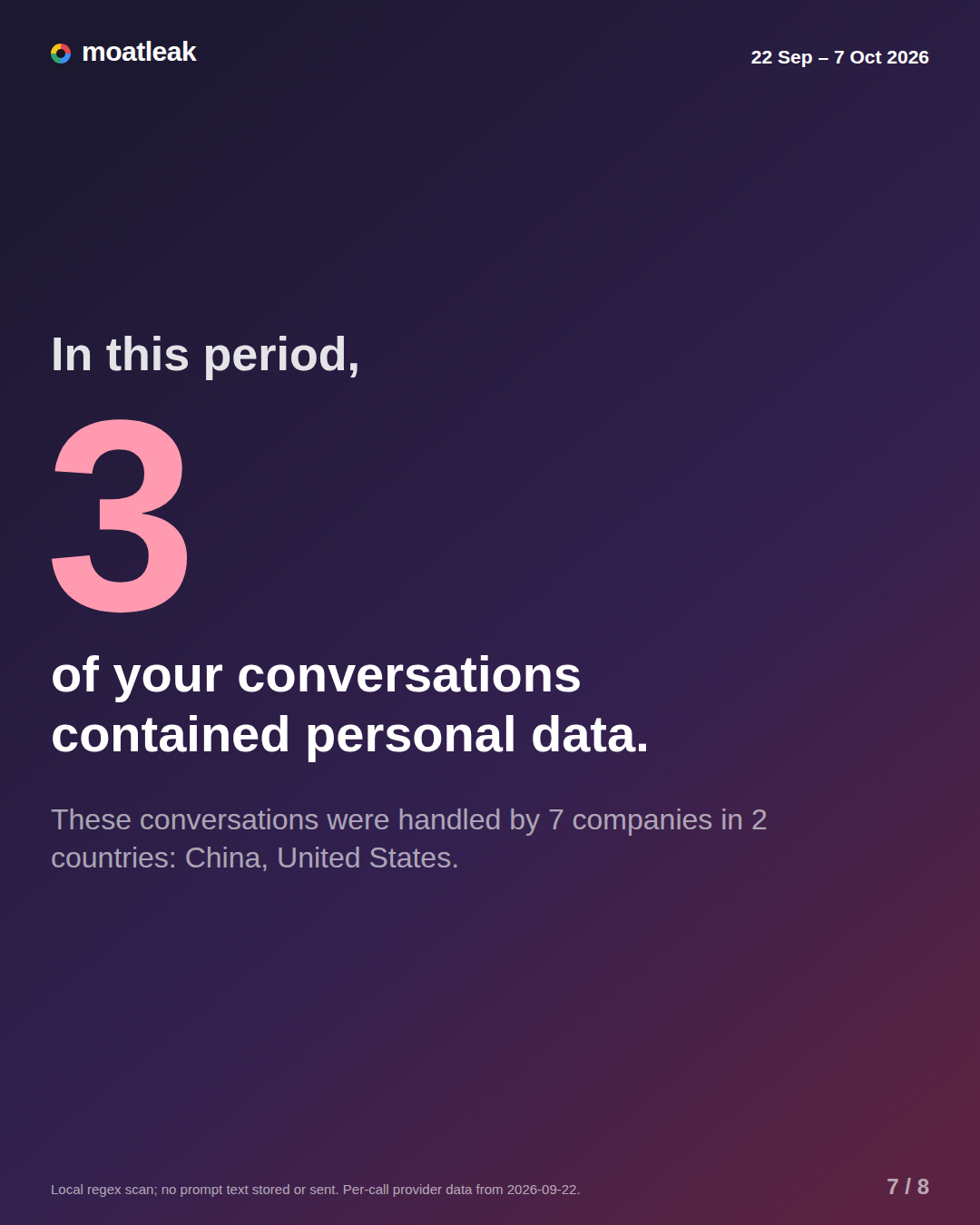
Real cards from the sample report. Every card in your report can be downloaded as a PNG to share.
Install it from PyPI with pipx install moatleak, or pip install moatleak. Python 3.11 or newer, on Linux or macOS.
moatleak scan reads the records your AI tools already keep, read-only: Hermes agent logs and state.db, and Claude Code transcripts.
It writes one self-contained HTML report, plus a CSV and SQLite ledger and the JSON it was built from, into ./moatleak-report/. Nothing else is written.
pipx install moatleak
moatleak sources
moatleak scan
moatleak sources shows which data sources were found. Supported today: Hermes and Claude Code.
A tool that maps where your data went shouldn't send any of it anywhere. moatleak doesn't, and you can prove it.
| Source | Default location |
|---|---|
| Hermes agent logs | ~/.hermes/logs/agent.log* |
Hermes state.db | ~/.hermes/state.db (opened read-only) |
| Claude Code transcripts | ~/.claude/projects/**/*.jsonl |
It uses endpoints, provider names, model names, token counts, timestamps, and location fields where the tool logged them.
scan ends by printing "No network calls were made."Linux: run it with no network at all. If anything tried to connect, it would fail.
unshare -rn moatleak scan --out /tmp/moatleak-offlinemacOS: turn on airplane mode and run moatleak scan. A sanity check, not proof.
In a checkout of the source, search for network modules. There are none.
grep -rnE "urllib|http\.client|socket" src/moatleak --include='*.py'This website follows the same rules: no analytics, no cookies, no trackers, nothing loaded from anyone else's servers.
Codex, Cursor, LiteLLM, Continue, Aider and OpenWebUI.
OpenRouter, Anthropic and OpenAI usage data, and cloud endpoint regions. Separate opt-in packages: they need the network and an account key, so they will never be part of the core tool.
Classify what kind of content left your machine, as a separate opt-in package (moatleak-jev). The core stays offline.
Want another tool supported? Readers are welcome as contributions. Contributing guide
No. scan and sources make no network calls, there is no telemetry, and the package contains no network code at all. See "Verify it yourself" above to check.
Only if you ask. By default it uses call metadata: which company served a call, when, token counts and similar. With --scan-content it runs local pattern detectors over your prompt text and records only how many conversations matched each category. The matched text is never written anywhere.
Not necessarily. It is the headquarters country of the company and its ultimate parent, as recorded in the registry. It is a server location only when your tool logged one.
From moatleak's registry of 31 providers, shipped with the tool. Each company, parent and country claim cites a source, a check date and a quoted passage. Where no parent is sourced, it says "unknown". The registry data is CC BY 4.0, and corrections are welcome.
Hermes and Claude Code today. Codex, Cursor, LiteLLM, Continue, Aider and OpenWebUI are planned.
Nothing. moatleak is free and open source under Apache-2.0.
Probably not. The sample describes one machine over 22 Sep – 7 Oct 2026. Yours depends on which tools and providers you use.
moatleak is built by Horizen Labs.
moatleak by 
moatleak shows where your prompts go today. Horizen Labs helps companies decide where they go next.
A plain link. No tracking, no data from your report.